How to use AI in the SQL editor
Separately from the chat panel, Coginiti puts AI directly in the SQL editor: explaining and optimizing queries, editing SQL in place, and one-click quick actions as you write and run them.
Prerequisites
- AI Assistant configured - see How to Configure AI Assistant
Keyboard shortcuts on macOS Mod is Cmd, and Alt is Option. See the Command Palette Reference for the full mapping and shortcut list.
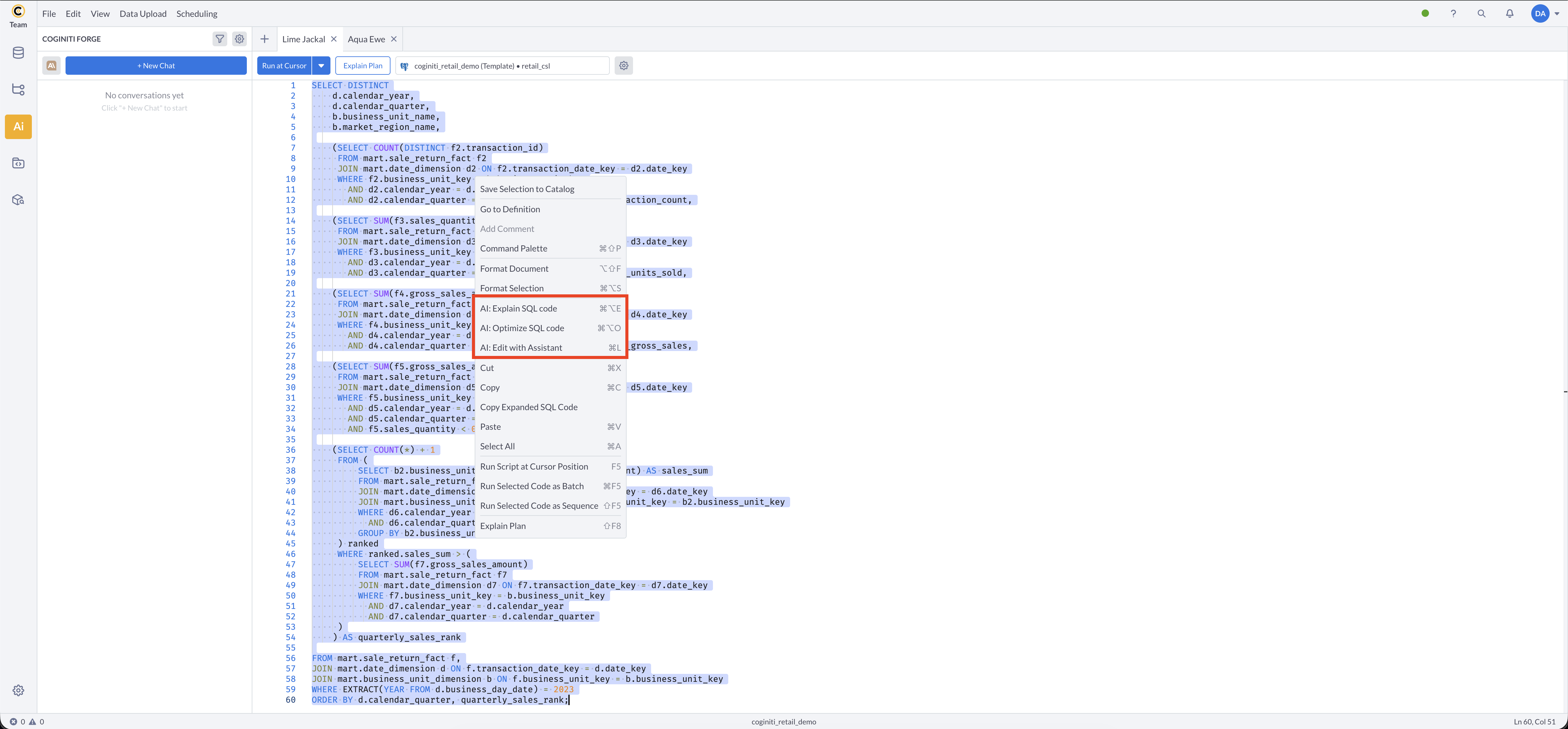
Select some code, then right-click it: AI: Explain SQL code, AI: Optimize SQL code, and AI: Edit with Assistant all appear together at the top of the context menu, above the standard Cut/Copy/Paste options. All three are also available from the Edit menu.
Explain SQL code
Select a query (or place your cursor in one), then press Mod+Alt+E, or right-click and choose AI: Explain SQL code. The assistant explains what the query does in plain language.
Optimize SQL code
Select a query (or place your cursor in one), then press Mod+Alt+O, or right-click and choose AI: Optimize SQL code. The assistant suggests performance improvements for the query.
Edit with Assistant
Select the code to change, or place your cursor where you want a change, then press Mod+L, or right-click and choose AI: Edit with Assistant. The assistant uses your selection, your other open tabs, and any catalog items you reference as context for the edit.
The proposed change appears as a diff - two panels of before/after code (toggle to a unified view with the Show side by side selector), with the changed lines highlighted. From there:
- Click Apply to accept the change, or Reject to discard it.
- Click the regenerate icon to get a new suggestion for the same request.
- Rate the result with the thumbs up/down icons.
Already applied a change you don't want? Mod+Z undoes it like any other edit.
Edit with Assistant is available to User and Admin roles only.
Quick actions
Quick actions give one-click AI help without opening the chat panel:
- Explain Error - a button shown on failed query output that explains why the query failed.
- Explain Plan - the Explain Plan panel offers an AI explanation for individual nodes in a query's execution plan.
See Using the AI Chat for the conversational side of the AI assistant.
For more information about other exciting Coginiti features visit our documentation